TeleBotCode
Open menu

TradingView Indicator and Strategy Development

Custom TradingView indicator development or existing Pine Script updates based on your rules

TradingView Indicator Development — Custom Pine Script Indicator

Custom TradingView indicator development and Pine Script programming

We build a custom TradingView indicator in Pine Script to turn clear formulas or analysis rules into chart visuals. The service covers a new project or modifying an existing script, TradingView alert conditions, and TradingView strategy development for historical testing when that is in scope. We document the logic before coding; some requirements may be limited by Pine Script or TradingView data. Testing verifies that rules execute as specified—it does not guarantee future trading results.

Service Features

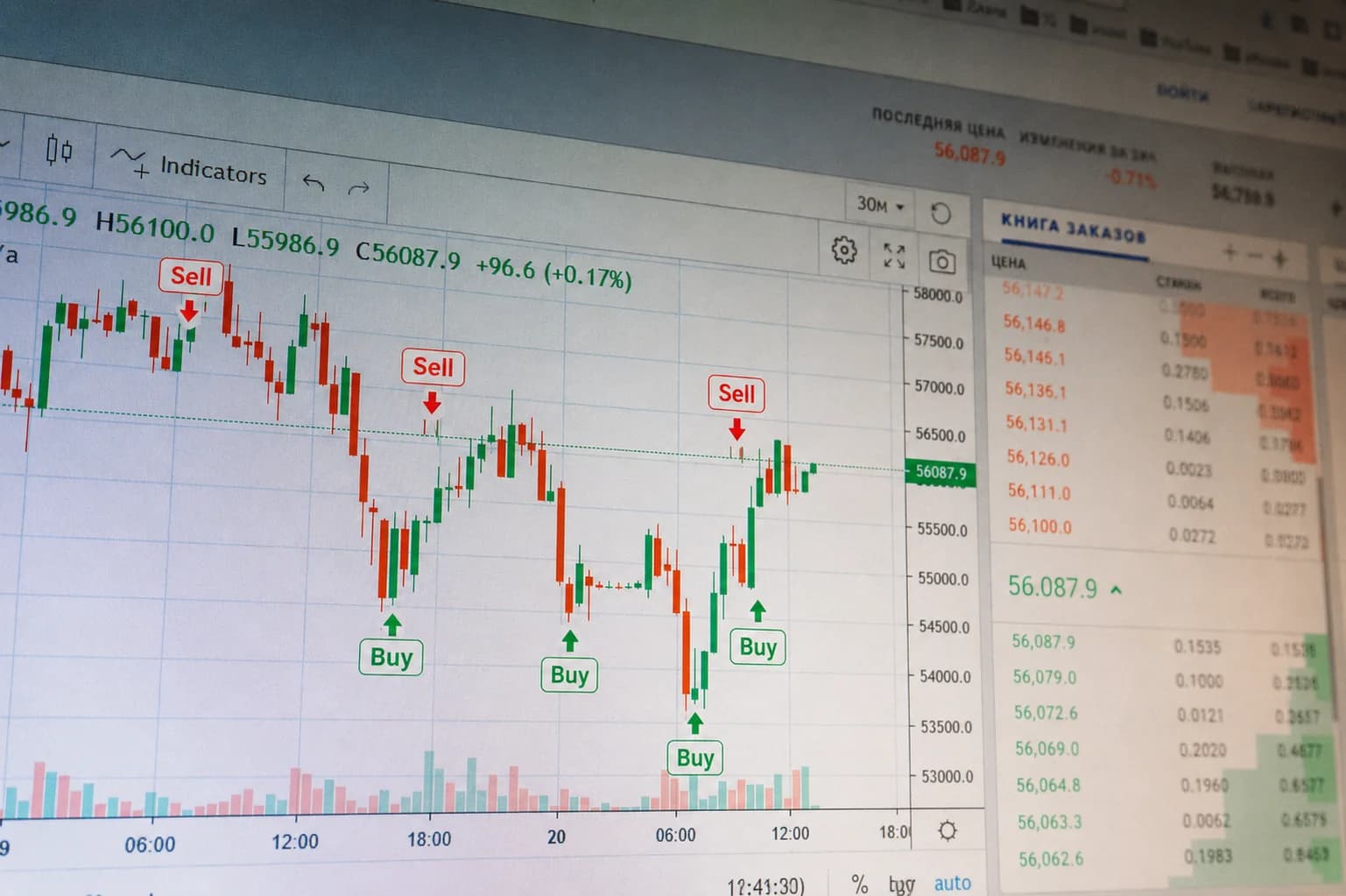
  • Plots for signals, lines, and zones on the chart.
  • Custom indicator calculations and formulas based on agreed rules.
  • Alert conditions for custom TradingView notifications.
  • Combine multiple conditions or indicators in one tool when needed.
  • Configurable inputs so values can change without rewriting code each time.
  • Multi-timeframe logic within Pine Script limits.
  • Create or modify TradingView strategies for historical testing on request.
  • Pine Script debugging plus clearer structure and readability.

Benefits of custom TradingView indicator development

The practical value is turning clear rules into a repeatable, reviewable tool—not market-outcome promises.

  • Turn analysis rules into a reusable tool

    Documented conditions and formulas become an indicator or strategy you can run consistently with the same logic.

  • Less repetitive manual calculation

    The script computes values and conditions on the chart instead of recalculating them by hand every time.

  • Visual display of conditions and signals

    Signals, lines, and zones appear in an organized way so you can follow the rules while you analyze.

  • Settings tailored to your workflow

    Inputs and parameters can be adjusted to match your style without a full rewrite for every small change.

  • Easier rule review and technical checks

    Once coded, verifying that conditions apply as specified is clearer—without treating that as a trading-performance guarantee.

  • Room to extend later

    Documented logic and structured code make it easier to modify a TradingView indicator or add conditions when needs change.

Use cases this service fits

This service suits projects with clear analysis logic that can be expressed in Pine Script within platform limits.

  • Turn a formula or rule set into an indicator

    When conditions are defined, we implement custom Pine Script programming that plots the results on the chart.

  • Combine several indicators into one tool

    Merge multiple conditions or signal sources into one organized script to reduce chart clutter.

  • Build buy/sell signals from clear conditions

    Code visual signals from your documented rules—without promising market outcomes.

  • Custom TradingView alert development

    Set alert conditions so you are notified when agreed rules trigger on the selected timeframes.

  • Modify an existing indicator or fix a script

    Add inputs, debug Pine Script issues, or address unexpected output in an existing codebase.

  • Convert indicator logic into a Strategy for testing

    When feasible, we build a TradingView strategy for historical testing and clarify that results do not guarantee future performance.

TradingView indicator development process

We follow a clear path from idea to delivery. Testing checks that rules apply as coded—it does not guarantee market performance.

  • Collect the indicator idea or existing script

    We gather the concept, chart examples, or current code to define scope.

  • Document formulas, conditions, and data sources

    We lock down rules, variables, and sources so the logic can be programmed without ambiguity.

  • Define visuals, alerts, and inputs

    We agree on plots, signals, alerts, and the inputs the end user needs.

  • Assess feasibility within Pine Script

    We review Pine Script and TradingView platform limits before committing to scope that cannot be delivered.

  • Programming and technical structure

    We implement the Pine Script with a clear structure that is easier to review and extend later.

  • Test across cases and chart examples

    We verify rule application on multiple examples. This is a technical check, not a guarantee of future trading results.

  • Client review and scoped delivery

    You review within the agreed scope, then we deliver the script with a short summary of settings and implemented logic.

FAQ

TradingView Indicator and Strategy DevelopmentFrequently Asked Questions

Brief answers to the most common questions about our services and workflow.

We need clear formulas or conditions, the visual outputs expected on the chart, intended user settings, and any color or alert rules. A high-level idea alone is not enough; programmable detail determines feasibility and scope.

Yes, after reviewing the current code and clarifying the behavior to fix or extend. Scope depends on script quality, version, and compatibility with current Pine Script limits.

An Indicator displays calculations, signals, and analysis on the chart, while a Strategy supports historical order simulation within the platform’s capabilities and testing tools. The choice depends on whether you need display logic or simulation.

Yes, within what the account, platform, and external integration allow. Alert conditions can be configured and sent to a webhook or other systems when the required settings and permissions are available, as defined in the project scope.

Yes, within Pine Script limits and the data available on the platform. Multi-timeframe logic is possible when the requests are technically supported; the platform may still limit requests, updates, or data precision.

Some requirements cannot be implemented because of language or platform limits, such as execution constraints, request limits, restricted external access, or unsupported editor behavior. Material constraints are clarified during requirements review before scope is confirmed.

Delivery follows the project scope and agreement, typically as ready-to-use Pine Script code with setup and usage notes. Delivery and review details are confirmed when requirements are approved.

No. Backtest results reflect historical performance within the data and test settings used, and do not guarantee future outcomes. Changing market conditions and data quality affect how results should be interpreted.